
Tool page
Grow A Garden 2 Value Calculator
Estimate crop sell value, profit, and ROI using rarity-grouped crop buttons, dynamic weight ranges, one mutation, and a reference dataset. Because GAG2 value data is still incomplete, this calculator labels uncertain data clearly instead of pretending every number is final.
Interactive value calculator
Estimate value, profit, and ROI before selling
Use crop buttons, dynamic weight ranges, one mutation, and a reference data mode. The result explains the number and suggests what to check next.
Safe mode keeps the weight inside the crop’s reference range and ignores friend bonus. Reference mode allows custom weight and friend bonus testing.
1. Choose a crop by rarity
Common crops 3
Uncommon crops 3
Rare crops 6
Epic crops 7
Legendary crops 5
Mythic crops 6
Super crops 3
2. Set weight and optional friend test
Safe mode ignores friend bonus. Reference mode lets you test it as an assumption. Quantity multiplies the total sell value.
3. Pick one mutation
Variant / general
Weather reference
Baseline estimate with no mutation.
Result
Choose inputs
Safe mode uses one mutation only and labels reference data clearly.
- Crop
- —
- Base value
- —
- Weight factor
- —
- Mutation
- —
- Friend test
- —
- Blood Moon upside
- —
Compare crops
Compare up to 3 crop estimates
Add the current calculator result, then switch crop, weight, mutation, or mode to compare another route before selling or buying seeds.
No crops compared yet. Calculate a crop first, then add it here.
Assumptions
| Topic | Current Data | Status |
|---|---|---|
| Formula status | The calculator uses a reference value model and labels the output as an estimate, not an official sale promise. | Reference |
| Crop data source | Base sell values and seed costs sourced from community-confirmed data (IGN wiki, TheGamer, Sportskeeda, June 2026). Weight ranges are estimated; verify with in-game tests. | Reported |
| Weight effect | The value lab uses quadratic weight scaling as a reference model; exact GAG2 formula confirmation still needs repeated sale screenshots. | GAG1 Reference |
| Mutation stacking | GAG2 confirms only one mutation can be active on a crop at a time — stacking is not possible unlike GAG1. | Confirmed |
| Friend bonus | Friend bonus remains a test input; use 0 friends for conservative estimates. | Unconfirmed |
| Best calculation mode | Use the tools to compare sell, wait, protect, or reinvest decisions rather than treating any output as final. | Confirmed |
Mutation Options Used
| Mutation | Multiplier | Status | Note |
|---|---|---|---|
| No mutation | 1 | Confirmed | Baseline estimate with no mutation. |
| Gold (Midas) | 10 | Reported | Community consensus: Gold mutation = 10×. Triggered by Midas weather event. |
| Rainbow | 25 | Conflicting | Conflicting sources: TheGamer YouTube reports 25×, written guide reports 30×. Using 25× as conservative estimate. |
| Frozen (Snowfall) | 40 | Reported | Community consensus: Frozen mutation = 40×. Triggered by Snowfall weather event. |
| Electric (Lightning) | 70 | Reported | Community consensus: Electric mutation = 70×. Triggered by Lightning weather event. |
| Starstruck (Starfall) | 45 | Conflicting | Conflicting sources: YouTube reports 45×, game8.co lists 50×. Using 45× as conservative estimate. |
| Bloodlit (Blood Moon) | 80 | Reported | Community consensus: Bloodlit = 80× — highest known multiplier in GAG2. Triggered by Blood Moon. |
| Chained | 4 | Reported | Reported: Chained mutation = 4×. Special event trigger. |
| Solar Flare | 5 | Reported | Reported: Solar Flare mutation = 5×. Solar Flare weather event. |
| Pizza | 5 | Reported | Reported: Pizza mutation = 5×. Special event trigger. |
Disputed Multiplier Claims
Some Grow A Garden 2 multipliers are reported differently by different sources. Instead of picking one unverified number, compare the competing claims before selling so you can decide. The calculator keeps both options selectable but flags them as conflicting.
Rainbow
| Claim | Multiplier | Reported source basis | Status |
|---|---|---|---|
| Rainbow | 25× | Conflicting sources: TheGamer YouTube reports 25×, written guide reports 30×. Using 25× as conservative estimate. | Conflicting |
Until GAG2 testing confirms one value, treat the lower claim as a conservative estimate and the higher claim as a best case. Do not present either as the final number.
Starstruck (Starfall)
| Claim | Multiplier | Reported source basis | Status |
|---|---|---|---|
| Starstruck (Starfall) | 45× | Conflicting sources: YouTube reports 45×, game8.co lists 50×. Using 45× as conservative estimate. | Conflicting |
Until GAG2 testing confirms one value, treat the lower claim as a conservative estimate and the higher claim as a best case. Do not present either as the final number.
Calculator visuals
Use screenshots before trusting a value estimate
The calculator should feel tied to real play: crop choice, sell path, mutation status, and weather timing.
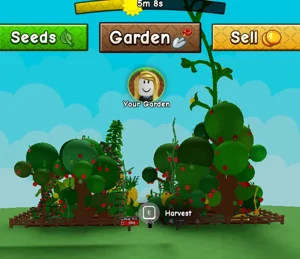


Grow A Garden 2 Value Calculator Rules
The Grow A Garden 2 Value Calculator should be used as an estimate, not a guaranteed sale price. The current formula uses a GAG1-style weight relationship because a fully confirmed GAG2 value formula is still incomplete. The important GAG2 change is mutation behavior: the launch available info say mutations do not stack, so the calculator uses one mutation at a time.
This makes the tool safer for players. Instead of showing huge old combo values, the Grow A Garden 2 Value Calculator asks for crop, weight, mutation, and friend bonus assumptions. If a crop does not have enough data, the tool says there is not enough confirmed data rather than inventing a number.
Grow A Garden 2 Value Calculator Inputs
Use crop choice for the base value, weight for size scaling, mutation for the single active multiplier, and friends only if you want to test the carry-over friend bonus assumption. Do not select a GAG1 combo. Do not add Electric and Frozen together. Do not add Rainbow and Bloodlit together. In Grow A Garden 2, the safer estimate is one crop, one weight, one mutation.
If you are checking a rare crop, write down the exact crop name, weight, mutation, weather event, friend count, and sale result. Those notes make future calculator updates better. A screenshot of the sell price is more useful than a guess from an old video.
Grow A Garden 2 Value Calculator for Money Farming
The Grow A Garden 2 Value Calculator is most useful before selling high-value crops. If the estimate is much higher with Bloodlit, Electric, Starstruck, Rainbow, or Frozen, consider holding the crop until the right weather event. If the crop is common and easy to replace, selling quickly may be better because it helps you buy the next seed or gear item.
Money farming is not only about one harvest. Keep plots full, buy practical seeds, protect valuable crops, and watch weather. Use the calculator to compare choices, then use the crop, seed, weather, and gear pages to decide what to do next.
Grow A Garden 2 Value Calculator FAQ
Is the Grow A Garden 2 Value Calculator exact?
No. The Grow A Garden 2 Value Calculator is an estimate because the full GAG2 crop value formula is not completely verified.
Why does the Grow A Garden 2 Value Calculator allow one mutation?
The calculator allows one mutation because Grow A Garden 2 launch available info say mutations do not stack.
Can the Grow A Garden 2 Value Calculator use GAG1 formulas?
It can show a cautious estimate based on GAG1 value logic, but GAG1 stacking formulas should not be treated as confirmed GAG2 math.
What should I enter in the Grow A Garden 2 Value Calculator?
Enter the crop, crop weight, one mutation, and optional friend count. If a crop lacks data, the calculator will show a warning instead of a fake value.
Grow A Garden 2 Value Calculator Mistakes
The most common Grow A Garden 2 Value Calculator mistake is treating an estimate as a guaranteed sale price. If a crop has unknown base value or unknown base weight, the calculator cannot be exact. If a mutation has conflicting sources, the output should be used as a planning range, not a promise. If the game updates the formula, old estimates can become wrong.
Another mistake is entering GAG1 stacking assumptions. Grow A Garden 2 available info say one mutation is active per crop, so the Grow A Garden 2 Value Calculator should not add multiple mutation multipliers together. Pick the single mutation you see on the crop, enter the weight, and compare whether selling now makes sense.
Grow A Garden 2 Value Calculator Best Uses
Use the Grow A Garden 2 Value Calculator when deciding whether to sell, wait for weather, or save a crop for later testing. It is especially useful for expensive crops, mutated crops, and crops with unusual weights. For common crops, quick selling may be enough. For rare crops, a calculator estimate can prevent selling too early.
Save real sale results to improve Grow A Garden 2 Value Calculator estimates.
Use the Grow A Garden 2 Value Calculator after checking the mutation guide. If a multiplier is marked conflicting, test with a small crop before trusting it on an expensive crop. If a crop has unknown base data, use the estimate as a rough direction only.
The calculator is strongest when players report real sale results. Each confirmed value makes future Grow A Garden 2 Value Calculator estimates safer for everyone.
The Grow A Garden 2 Value Calculator works best when paired with real gameplay notes. After selling a crop, compare the estimate with the sale result. If the difference is large, the crop data, weight rule, friend bonus, or mutation multiplier may need an update.
What to check before using the value calculator
The calculator is most useful when the player already knows what they are entering. If you do not know the crop, start with the crops list. If you do not know whether the mutation value is reliable, start with mutations. If the mutation came from a weather event, open weather first. This prevents players from treating an estimate like a guaranteed sell value.
| Input | Where to verify it | Why it matters |
|---|---|---|
| Crop name | Crops | Different crops have different base values and use cases. |
| Seed cost | Seeds and Seed Shop | Profit depends on what you paid, not only what you sell for. |
| Mutation | Mutations | Some multiplier claims are confirmed, reported, or conflicting. |
| Weather trigger | Weather | Weather can explain how a mutation appeared and whether waiting makes sense. |
| Farming route | Money Farming | A high estimate is only useful if it fits your next buying route. |
Example calculator decisions
If a player enters Blueberry, the real lesson may be that they should move to Tulip or Bamboo rather than obsess over a low base value. If a player enters Bamboo, the calculator becomes more useful because Bamboo is a route crop: it connects Seed Shop stock, sprinklers, private-server safety, and sell timing. If a player enters Moon Bloom or Dragon's Breath, the calculator should push them to verify weather and mutation information first.
A good value check does not end with a number. Use the estimate to choose your next move: buy another seed, wait for weather, protect the crop, or sell and reinvest. For stronger decisions, compare crop, weather, mutation, and money-farming notes before you act.
After calculating, keep the decision moving
Do not stop at the estimate. Use the result to compare all crops, protect a valuable harvest, wait for a better event, or turn the sale into your next farming route.
Active code route
Claim TEAMGREENBEAN before you spend Sheckles
Use the current Green Bean reward as your first free crop check, then decide whether to plant, save, or move toward Bamboo.
TEAMGREENBEAN View all Grow A Garden 2 codes Next steps
Before and after using the calculator
A value estimate is only useful when you connect it to crop source, weather, mutation, and the next purchase.
Best next clicks
Guide directory
Open the guide that matches your next action
Use this directory when you are not sure whether to redeem, buy seeds, plant crops, defend your garden, wait for weather, or sell.
Safety and NPCs
Video guide
Grow A Garden 2 Money Farming Strategy
Use this video as a quick visual companion for the guide, then check the tables and FAQ for current Grow A Garden 2 details.
Near-launch GAG2 money strategy; exact values can change after updates.